Apprentice Registration Process
To apply for an Apprenticeship program at Kwantlen Polytechnic University (KPU), please submit your application through Apply - EducationPlannerBC and pay the application fee.
Once you have been qualified, you will be notified by email when you have been assigned a registration date and time. Seat availability is not guaranteed, as seats are first-come-first-serve basis.
Once you register yourself, you must pay your deposit to secure your seat. A $200.00 non-refundable/non-transferrable deposit must be paid within 72 hours of registering or your registration will be cancelled. Please provide proof of payment if you have paid with online banking only. The remainder of your fees must be paid at least 60 days before the start of class or your registration will be cancelled and you will be removed from the class.
How to Check Your Registration Date and Time
- You will receive an email when you have been assigned a registration date and time. It is important you log in to check when your assigned date and time is so you do not lose your registration priority.
- Log in to mykpu.ca using your @student.kpu.ca email and password. Refer to your acknowledgement letter for instructions how to do this.
- Click Register for Classes. This will take you to Registration Self Service.
- Select Prepare for Registration, then choose the Apprenticeship term from the drop-down and click Continue. If you have been assigned a registration date and time, you will see the date and time displayed and you will also see any holds you may have.
Notes: The start date and time is the first date and time you are able to begin registering. The end date and time is the last date you can go into the Registration Self Service system. Before your scheduled registration date and time, you will see the message in RED, this simply means your date has not arrived yet. Starting on the day of your registration date and time, you will see the message in BLUE, this means you can register now. If you see no message with a date and time, please contact us at apprentice@kpu.ca.
How to Register for your Apprentice Course
- Log in to mykpu.ca using your @student.kpu.ca email and password. Refer to your acknowledgement letter for instructions how to do this.
- Click Register for Classes. This will take you to Registration Self Service.
- Select Register for Classes, then choose the Apprenticeship term from the drop-down and click Continue.
- Type the Subject i.e. Electrical. Type the Course i.e. 1010, 1020, 1030, 1040 (this is the level which you are trying to register) 5. Find the intake you want to register in, then click Add. You can hover over the line to see the class times.
- IMPORTANT: Click Submit in the bottom right-hand corner. If you leave your selection in Pending mode, the course will not be added to your registration.
Congratulations, you are now registered. Please refer to the new next step on “How to Pay Your Deposit or Full Fees”
How to Pay Your Deposit or Full Fees
- First log in to mykpu.ca using your @student.kpu.ca email and password. Refer to your acknowledgement letter for instructions how to do this.
- Click Payments and Financial Aid along the top menu bar and click Pay Now.
- Click Pay Now. If you are paying your deposit only, change the amount to $200.00, then click Pay Now. If you are paying your full fees, the amount is already defaulted to your owing balance.
- Click Pay with Credit Card. Please be aware credit card payments will incur a service fee of 2.5% to the payment provider.
- Enter your card details then click Pay.
- You can print your receipt on the confirmation page.
- Provide a proof of payment by sending an email to apprentice@kpu.ca
- A screenshot of your confirmed payment transaction
- Your KPU ID number
Note: If you do not send this information within 72 hours, your registration may be automatically cancelled.
For instructions on how to pay your fees, please watch this video at https://media.kpu.ca/media/How+to+Pay/0_rkvqcfko
For additional payment methods, please visit kpu.ca/registration/pay
How to Check Your Registration
- Go to myKPU.ca
- Click on “Register for Classes” icon (if you can’t see that icon, enter “register for classes” in the search bar at the top of the screen)
- Click on “Registration History”
- Sign in with your @student.kpu.ca email and password
- Choose the Term (Apprenticeship 2026/27)
- Scroll the calendar at the bottom to view a graphical display of your schedule; click on “Schedule Details” to view a detailed schedule for each class
How to Withdraw from Your Registration
It is the student’s responsibility to be aware of registration deadlines and to ensure their registration status is correct. If the student decides not to attend any or all of their courses, they must drop or withdraw through the Registration App – Register for Classes and review their schedule to confirm that their registration activity was successful. Unless the student has officially dropped or withdrawn, they are considered fully registered, charged for the course and assigned a grade.
Please refer to https://www.kpu.ca/registration/drop on how to withdraw from your course/courses.
Need Help?
Contact apprentice@kpu.ca or call 604-598-6102
Applied Skills Come From Applied Experience
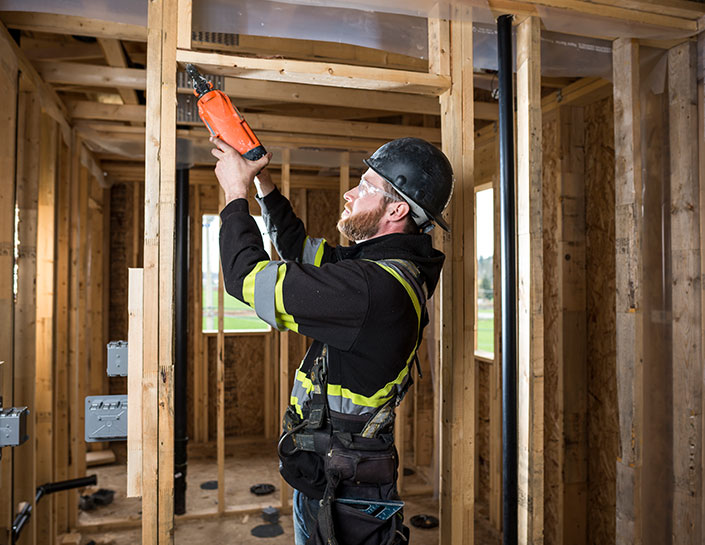
Apprentice Services is here to help you progress and register in KPU's technical training from level one to your Interprovincial/Red Seal credential.
We can assist you with:
- General inquiries about apprenticeships and SkilledTradesBC (STBC)
- Verification on your apprentice program registration eligibility
- Support with the STBC registration application process for specialized programs
- Communicates technical training results on behalf of apprentices to the STBC
Need additional help? Contact us:
Phone: 604-598-6102
Fax: 604-598-6111
Email: apprentice@kpu.ca
If you're just beginning to explore trades programs and are not an indentured apprentice through the STBC, please contact the Future Students' Office:
Phone: 604-599-3030
Email: study@kpu.ca
Why Choose KPU?
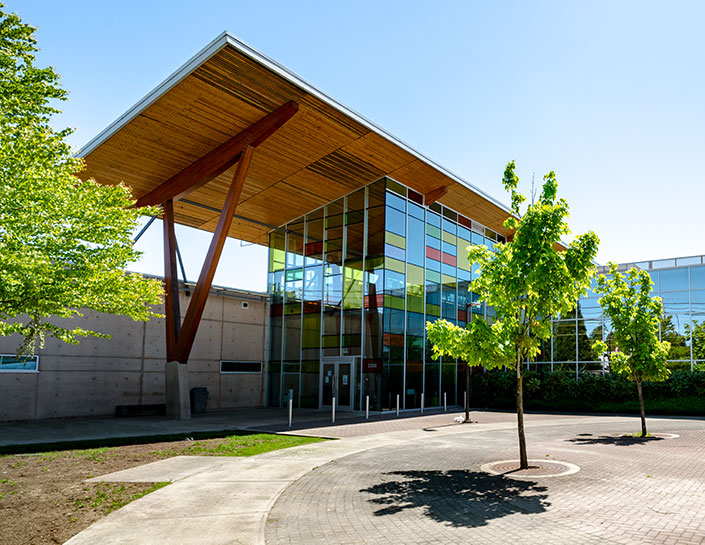
KPU Tech campus, home to our apprenticeship programs, is conveniently located in Cloverdale, British Columbia to serve communities south of the Fraser River, including Richmond, Surrey, Langley and the Fraser Valley, as well as communities north of the Fraser, such as Pitt Meadows, Maple Ridge and Mission.
KPU is a SkilledTradesBC (STBC) designated training provider, offering technical training in appliance service, automotive, construction, horticulture, electrical, parts and warehousing, plumbing and welding for registered apprentices.
We have lots of opportunities, offering approximately a hundred intakes a year. Plus, our small class sizes, averaging 16 students per class, allows our Red Seal-certified instructors to provide you with more attention and individual support.
Apprenticeships
KPU is a SkilledTradesBC (STBC) Designated Training Provider offering technical training in automotive, construction, horticulture, electrical/mechanical, manufacturing, mining, and metal-related fields for registered apprentices.